If you run ads for your business, you have to see competitor ads regularly.
Call it “spy” if you want. In reality, it’s just public ad libraries.
Because competitors’ ads show you what the market is already tired of, what everyone keeps repeating, and what angles are still underused. It’s the fastest way to get fresh ideas for ad copy and creatives without guessing and burning budget.
At Excella PPC we check competitor ads regularly because it helps us:
- Spot what everyone is pushing (so we don’t sound like another clone)
- See what they focus on and decide what we can do better
- Pull fresh hooks and creative ideas when the niche feels “same same”
- Find gaps in messaging (what nobody is saying, what nobody is showing)
- Improve our offer framing and landing page angle before we spend real budget
And today I’ll show you exactly where to view those ads on the main platforms.
No theory. No “strategy framework”. Just the practical part: where to click to see the actual creatives and copy your competitors are running on Google, Facebook/Instagram, TikTok, Microsoft, and LinkedIn — using free official tools.
How to see competitors Google Ads
If you want to see competitors Google Ads, start with Google’s official ad library. It’s called the Google Ads Transparency Center, and it’s the cleanest free way to view real competitor creatives.
The nice part is you can use it to check different Google ad types in one place: Display ads (banners), YouTube ads (video), and in many cases you’ll also see other formats tied to Google’s ad ecosystem. So instead of guessing what they run, you can open the actual ads and review the copy and creatives.
How to use Google Ads Transparency Center
1. Search your competitor’s brand name or website URL in the search bar. If they run Google ads, they’ll usually show up there.
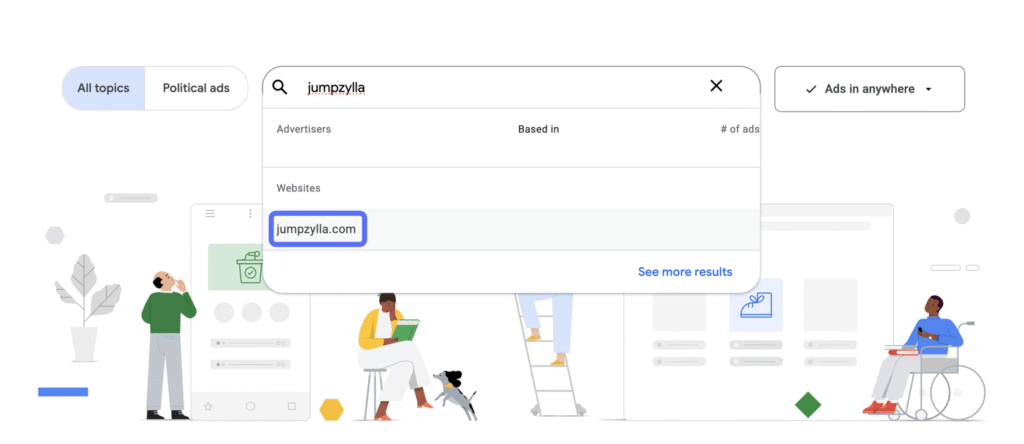
2. Choose the country where your competitor runs ads. Or leave it blank to see competitors ads across all markets where they advertise.
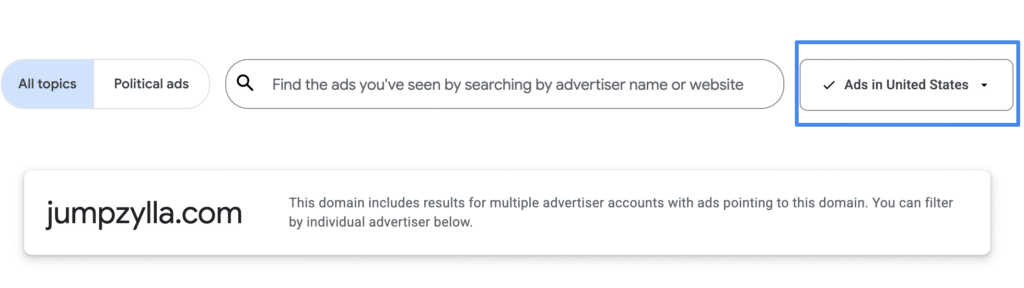
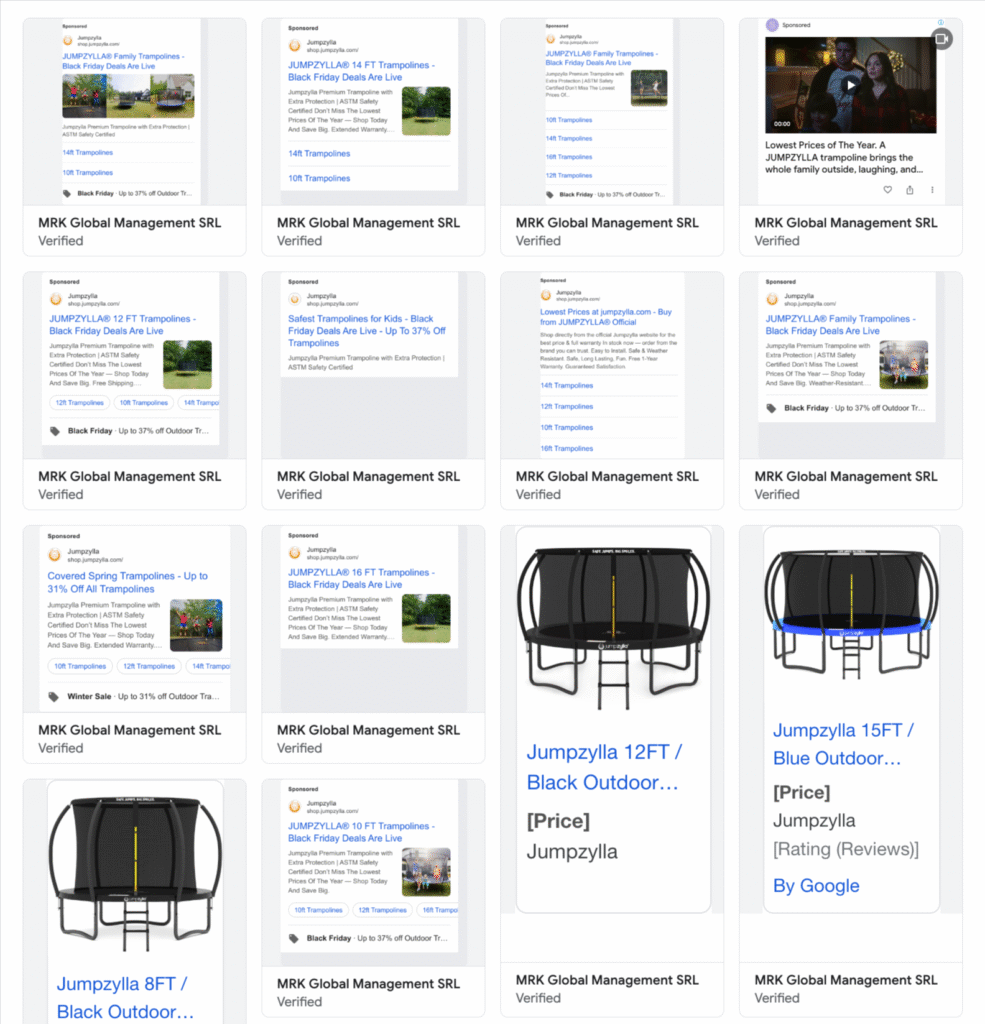
3. I picked one of Google Ads agency clients as an example and selected the United States. Now we can see all the ads currently running.
This is exactly how you can view competitors ads on Google across different networks (Display and YouTube, and other formats shown in the library) and across the full time range available in the Transparency Center.
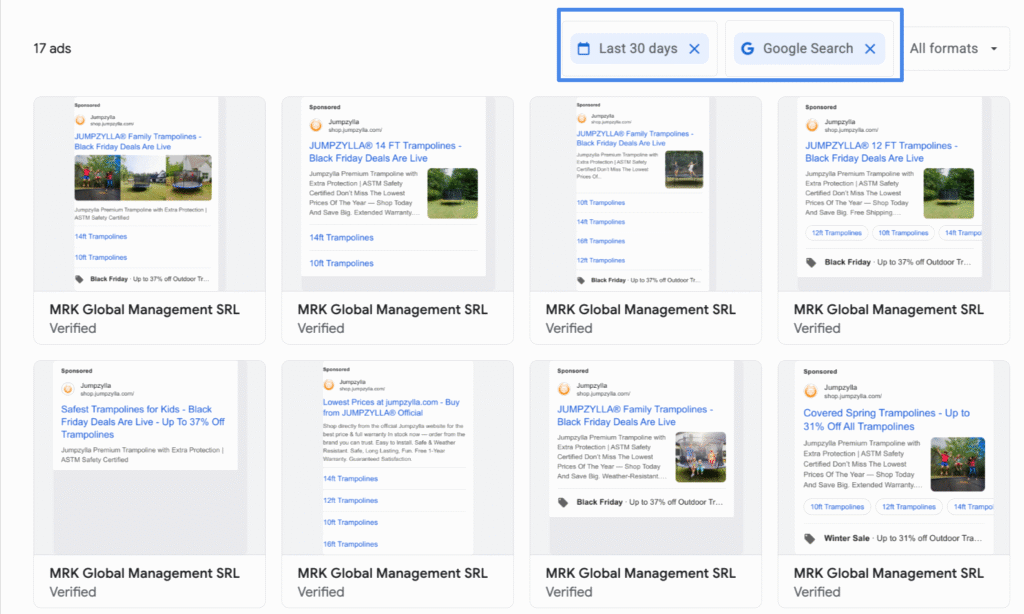
4. For a more focused look at competitors ads on Google, set a time range (we usually choose the last 30 days) select the platform you want to check (Google Search, YouTube, Shopping, Maps, Google Play, or All platforms).
How to see competitors Google Ads by keywords (Search and Shopping)
It’s also very useful to check competitor ads for specific search queries. This shows you how well their campaigns are actually structured: do they have separate ads for different intents, and do their headlines match what the user is searching for?
Sometimes you’ll see the opposite: generic ads that don’t answer the search intent at all. That’s a gap you can use. If you spot where their ads feel “off”, you can write cleaner, more relevant ads and win clicks without paying more.
If you’re in the same location you’re targeting, Google Search is enough. Just type the keyword and you’ll see what’s running.
But if you target a different state, country, or multiple markets, that approach breaks. You’ll see your local SERP, not the SERP your customers see. And then you’re “analyzing” the wrong ads.
That’s why we use valentin app. It lets you simulate a Google search for a concrete keyword in a specific location, so you can view competitors ads the way they actually appear in that market. No VPN, no guessing. Just keyword + location, and you get the real page with the ads on top.
Just enter the keyword you want to check, then choose the language and location.
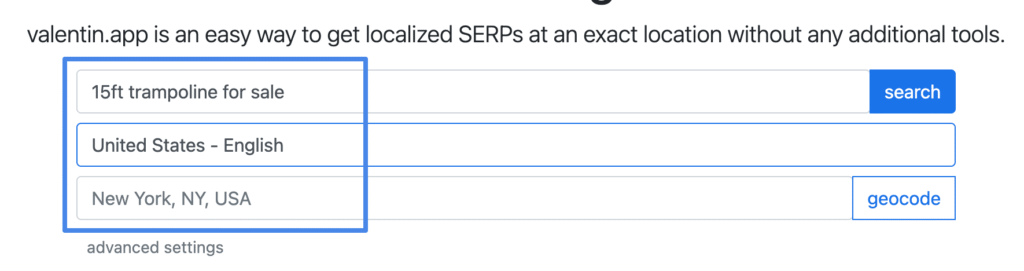
and you will see competitors ads running for this term on Google Search and Shopping.
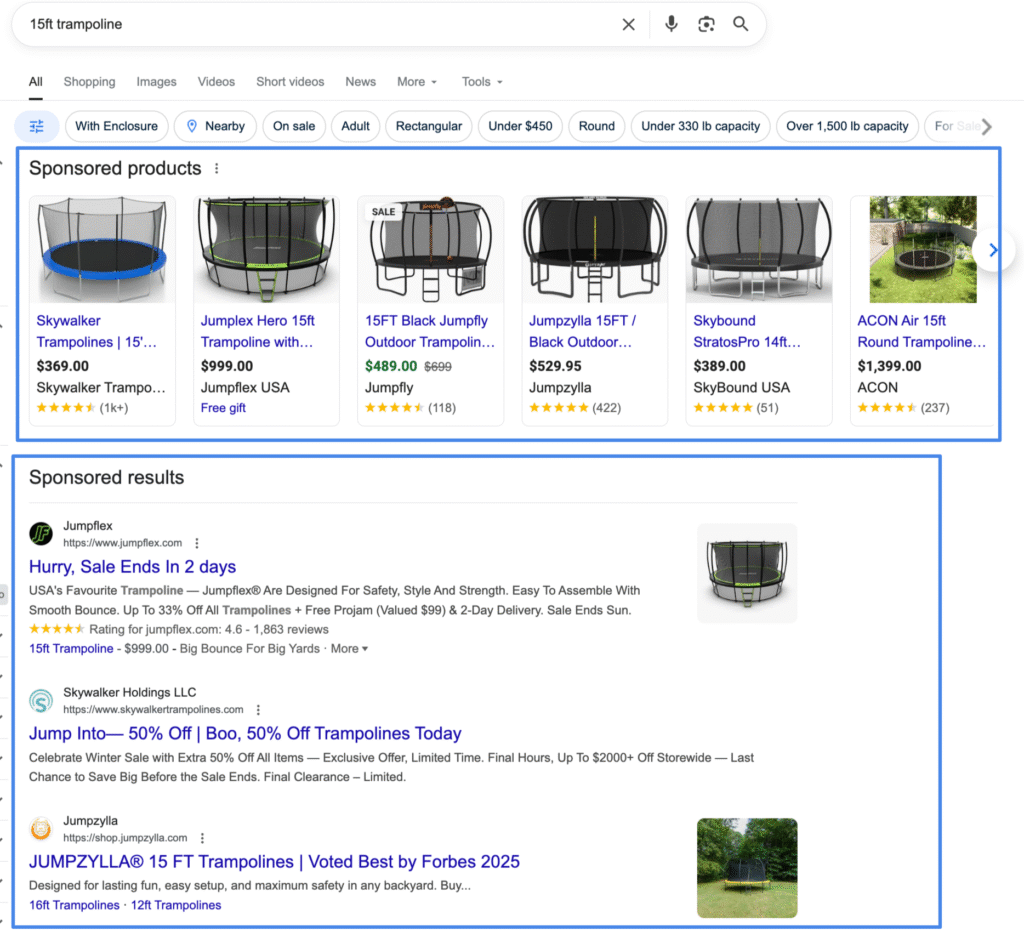
How to see competitors Facebook/Instagram ads
If you want to see competitors Facebook/Instagram ads, you don’t need any “spy tool”. Meta already exposes most of it publicly through the Meta Ads Library.
This is where you can view what a competitor is currently running on Facebook and Instagram: the exact creatives, primary text, headlines, sometimes multiple variations, and the landing pages behind them. You won’t see their budgets or targeting, but for ads research (copy + creatives) it’s more than enough.
How to use Meta Ads Library
1. Select the location and enter the brand name to see competitors Facebook ads.
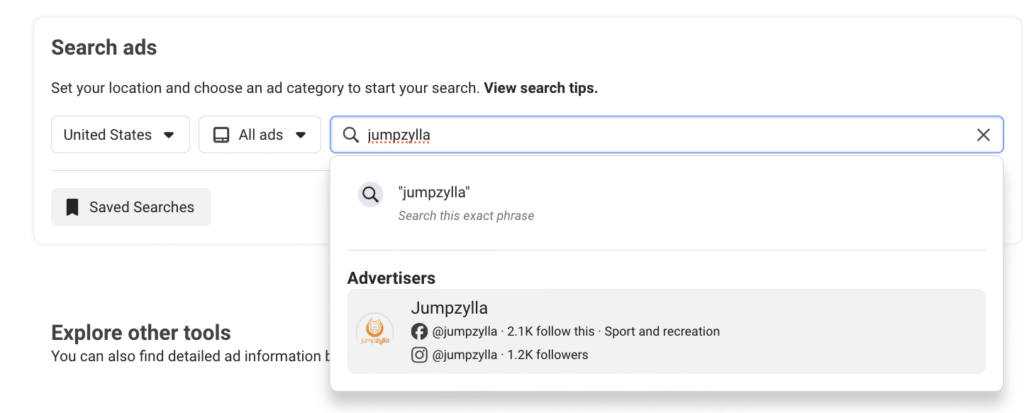
2. You will land on the competitor page inside the library and you will see all their Facebook and Instagram ads.
You can sort by newest, or sort by impressions. This is useful because it shows what they are pushing the hardest. You can also filter by keyword. It helps a lot when the competitor runs many different products and you only care about one. You can also filter by platform, ad format, and date range.
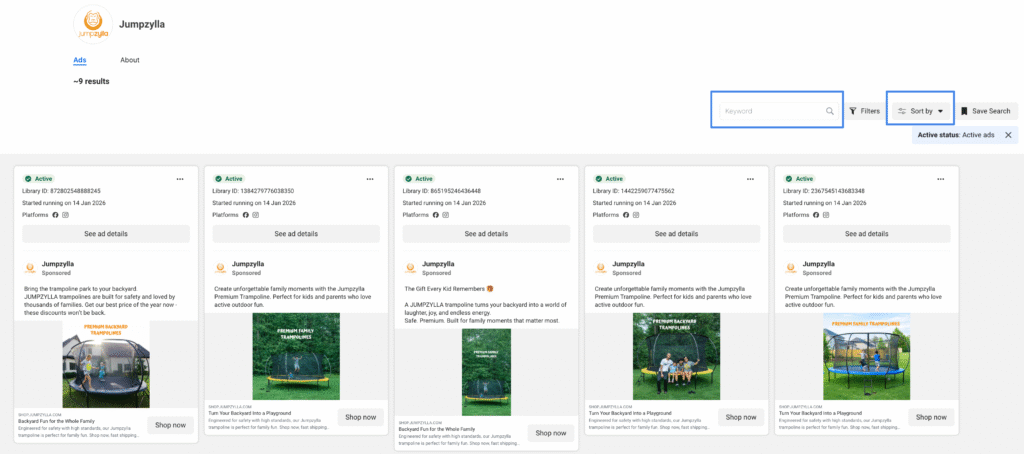
How to see competitors TikTok ads
TikTok is a goldmine for competitor ads because brands usually test a lot of creatives there. You can see exactly what videos they run, how they hook people in the first seconds, what text they put on screen, and where they send traffic.
To do this, you do not need any paid tools. TikTok has its own free library where you can search by brand, keyword, and region and quickly pull real competitor ads.
How to use TikTok Ads Library
Just choose a time range, country, and then enter the competitor name or the keyword you care about.
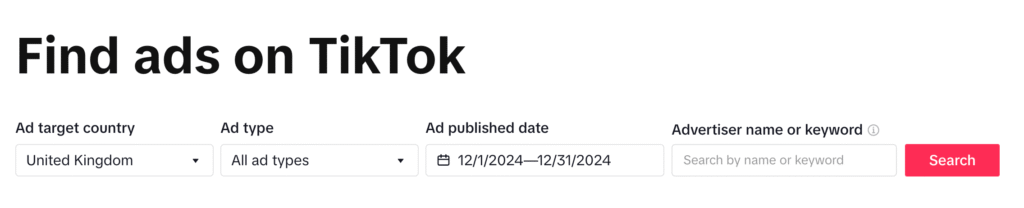
We use the TikTok Ads Library to see competitor ads, pull new ideas, and compare our creatives with the main advertisers in the niche.
Right now, TikTok Ads Library mainly shows ads running in Europe. So if you are looking for US only, you will not find it there.
But the tool is still useful even if you sell outside Europe. Why. Because you are not looking for “exact same market”. You are looking for patterns. Hooks. Creative styles. Offers. Formats that are working in your niche. And Europe is good enough to see how brands approach TikTok ads.
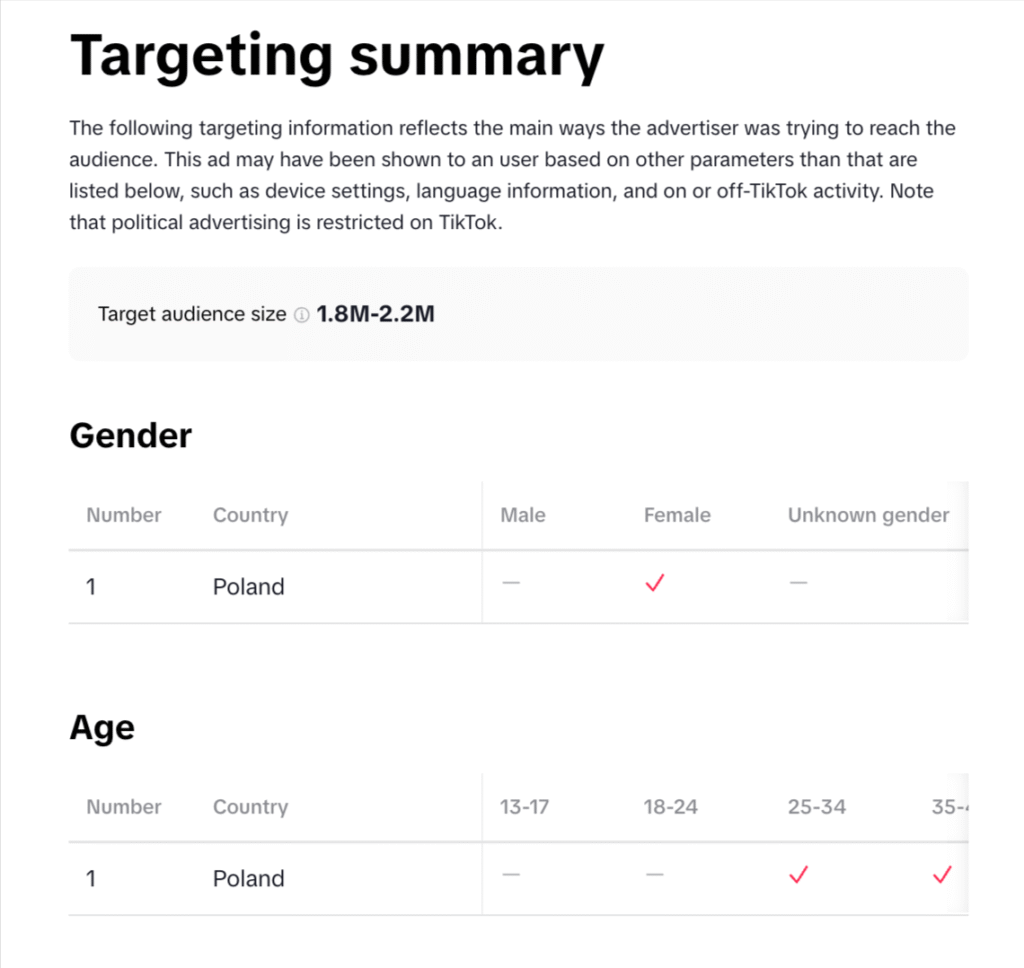
In my opinion, TikTok Ads Library is often more useful than Facebook Ads Library for research. It gives you stronger sorting and filtering, so you can find the best and the worst ads fast. And the ad details are usually deeper too. You can see more context around reach and targeting compared to what Meta shows.
How to see competitors Microsoft ads
Microsoft Ads is a different ecosystem. Less noise than Google, often cheaper clicks, and in some niches it brings very clean leads. If you run Bing ads seriously, you should also check what your competitors are doing there, not only on Google.
At Microsoft Ads agency we run a lot of campaigns in Microsoft Ads, so we use a dedicated tool built specifically for Microsoft competitor research. It helps us quickly see competitor ads inside the Microsoft network, review their copy, and understand how they position themselves on Bing for the keywords that matter.
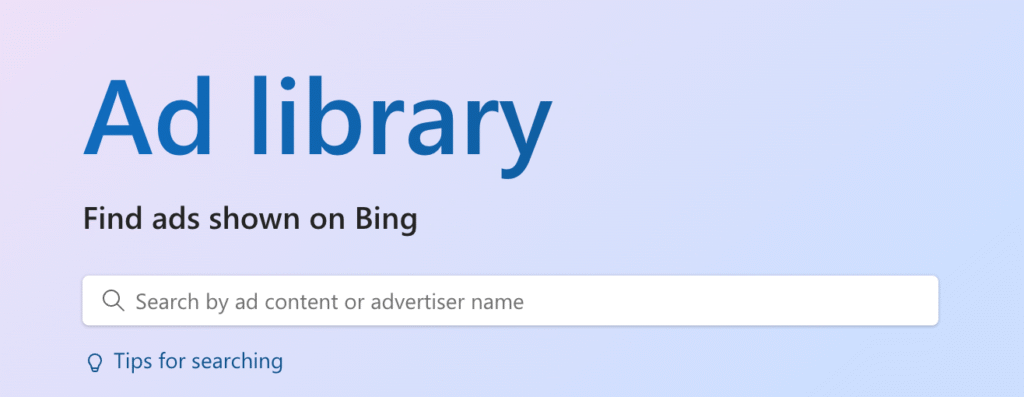
If you want to see competitors Microsoft Ads, use the Microsoft Advertising Ad Library. It is Microsoft’s official transparency library for ads shown on Bing
How to use Microsoft Ads Library
1. Add a competitors name.
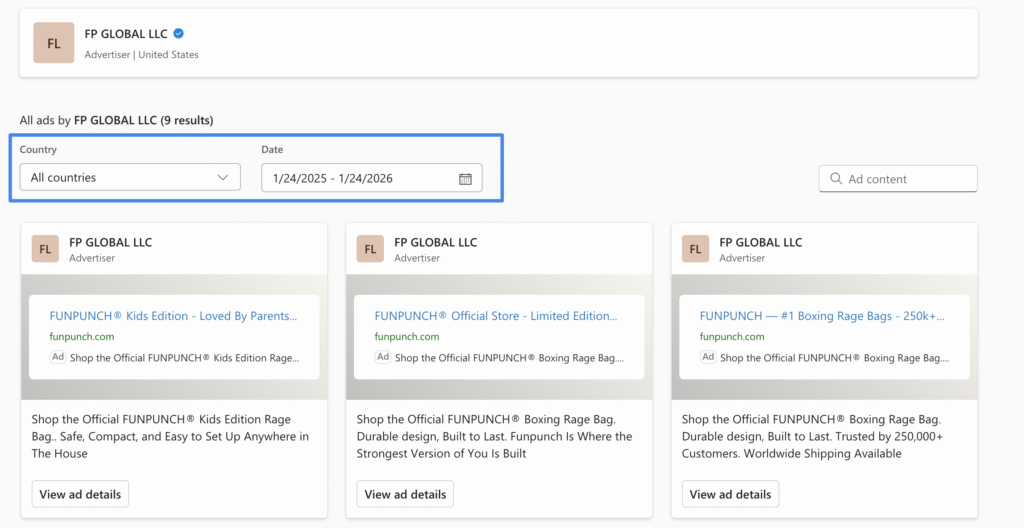
2. Filter ads by time range and location.
Microsoft Ads tracking for Shopify
FAQ: Competitors Ads
How can I see competitors ads for free
Use official ad libraries. For Google use the Ads Transparency Center. For Meta use the Meta Ads Library. For TikTok use the TikTok Ads Library or Creative Center. For Microsoft use Microsoft Advertising Ad Library. For LinkedIn use the LinkedIn Ads Library.
How do I find competitor ads by keyword
Search the keyword in the platform itself. On Google use search results. On TikTok and Meta use keyword filters inside their libraries. The goal is not “one keyword”. Use a small list of 5 to 10 core keywords and compare what shows up.
Can I see competitor targeting, audiences, or budget
No. Competitor ads libraries are made for transparency, not for exposing full campaign settings. You can usually see creatives, copy, and landing pages. Budget and exact targeting are not public.
How often should I check competitors ads
If you run ads actively, once per month is the minimum. If you are launching or scaling, check weekly. Competitors change creatives faster than most people think.
Should I copy competitors ads
No. Copying makes you look weak. Use competitors ads to see what everyone repeats, then write a cleaner angle and build a better creative.
Why do I see competitor ads in one country but not another
Because their targeting is different. Many brands only push certain offers in certain regions, or they test markets one by one.